Authentication
The public API authenticates with an API key — an organization-bound credential with a configurable expiration. Pass it as a bearer token on every request:
Authorization: Bearer gk_tkn_xxxxxxxxxxxxxxxx
Keys are prefixed gk_tkn_. Each key resolves to the issuing user's context
within the organization it was created for.
Requirements
- Your organization must have the
public-api.accessentitlement. - A key can only call endpoints your organization is entitled to use. Calls to
endpoints outside that surface return
403.
Key lifecycle
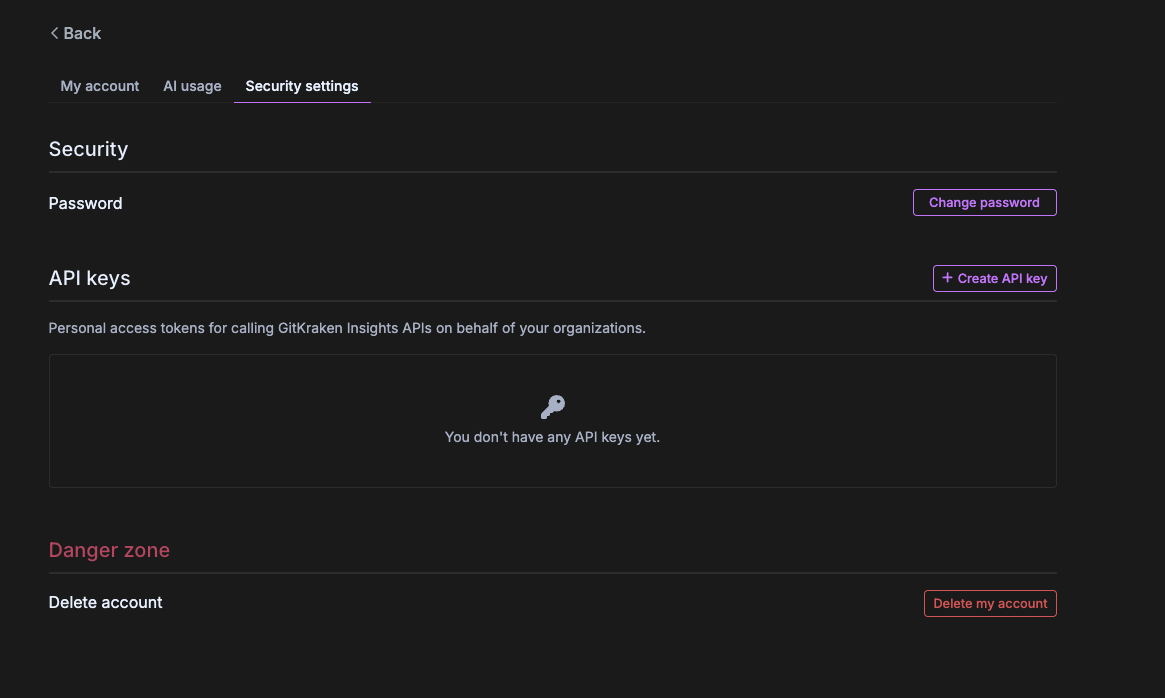
You manage API keys from Profile → Security settings → API keys in the GitKraken web app.
Create a key
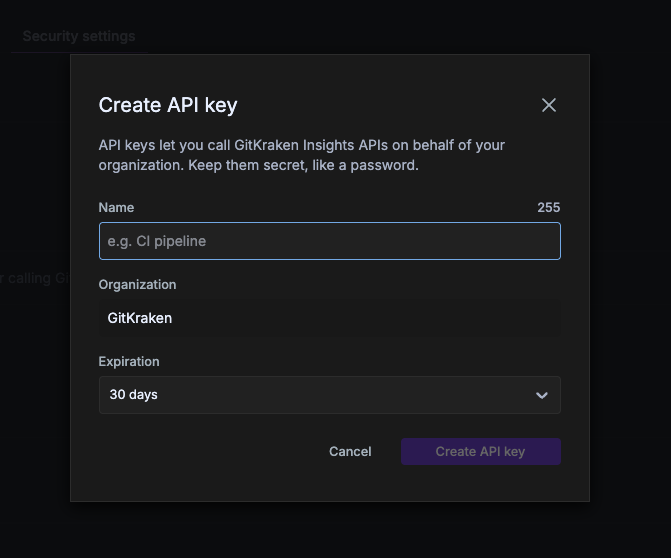
Click Create API key, then set:
- Name — a label to identify the key (e.g.
CI pipeline). - Organization — the organization the key acts on behalf of.
- Expiration — how long the key is valid (default 30 days).
The token (gk_tkn_…) is shown once at creation and never again — copy it
and store it securely (e.g. a secrets manager). A user may hold at most 15
active keys.
List and revoke keys
Your existing keys are listed under API keys in Security settings. Revoke a key from that list to invalidate it immediately; revocation takes effect promptly. Keys also stop working automatically once their expiration passes.
Errors
| Status | Meaning |
|---|---|
401 | Missing, malformed, or revoked key |
403 | Key valid but not entitled to this endpoint/organization |
429 | Rate limit exceeded — back off and retry |
Handling rate limits
Requests are rate limited at the gateway. On 429, wait and retry with
backoff. Batch and paginate rather than issuing many small rapid calls.
Key hygiene
- Treat keys like passwords — never commit them or expose them client-side.
- Scope one key per integration so you can revoke it independently.
- Rotate keys periodically: create the new key, cut over, then revoke the old.
Next: build a DORA report end to end.